Within 7 days
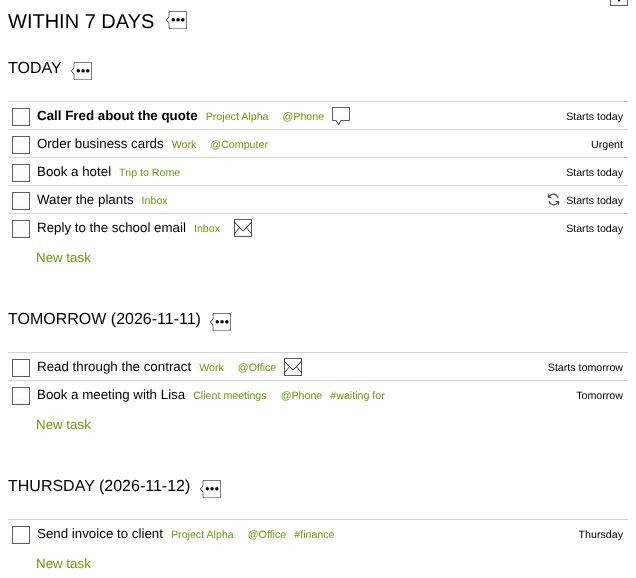
Within 7 days shows the week ahead, one day at a time. Type the task on the right day or drag it to another.
The week ahead, one group per day from today. The view shows tasks with a start date or deadline within seven days and, under today, also tasks with the status Urgent. A task appears under the day it is due and, if it starts during the week, also under its start day with Starts.
- Set a deadline by typing the task straight under the right day: every day has its own row for a new task.
- The date on the right shows the due day. Starts means it is the start day, and Urgent appears under today.
- Postpone for a day and Postpone for a week in the quick menu move the deadline forward.
- Click the date picker if you want to choose another date.


Tip! Move a task to another weekday by dragging it to that day's heading.
Plan the week in a few minutes
Open Within 7 days on Monday morning, or whenever your week starts. If a day looks full, drag something to a quieter day now instead of finding out that morning. Tasks with start dates show what is about to come up, so you have time to prepare.