Inbox
What ends up in the Inbox, how to add and sort there, and why you should empty it regularly.
The Inbox works like the inbox in your email program. It collects everything new in one place until you have had time to plan and structure it.
What ends up in the Inbox?
A task ends up in the Inbox when you create it without choosing a list, for example when you create it
- in an overview, such as Today or Important,
- in a context or tag,
- or when you email it in.
Adding and sorting
- Type the task in the New task field and press Enter. Type $$list, @@context or ##tag after the name to put the task straight into a list or give it a context and tag.
- Change the order by dragging the task where you want it. On a phone, tap the row and use the up and down arrows in the toolbar at the bottom.
- Drag a task to a list, context or tag in the left menu to file it away. On a phone, choose a list, context or tag in the toolbar.
- Click the box to complete a task. The most recently completed are shown below the rows.
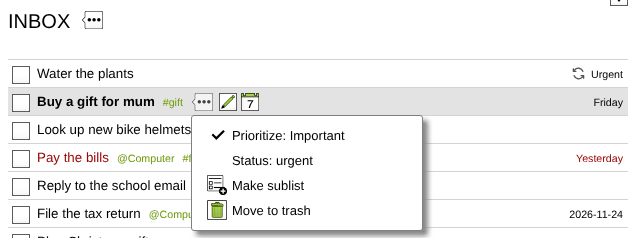
Tip! You can create lists right in the Inbox: first create a task, then choose Make sublist in the quick menu .

Empty the Inbox regularly
If you work with Getting Things Done (GTD), the Inbox is where everything lands first. Write down whatever comes to mind as soon as it does, without thinking about where it belongs. Then go through the Inbox regularly and move each task to the right list, give it a context or a date, or drop it. An empty inbox means everything is planned.