

Copy list
Reuse the checklist or packing list. Copy a list with all its content and change only what differs.
Copying a list is an easy way to reuse what you have already written. At work there are many recurring tasks that suit a checklist: staff days, appraisals, trade fairs or product launches. With your checklists in SaveYourDay you keep them up to date easily and make a copy each time.
At home you keep last year's packing list for the boat trip, the caravan holiday or the trip to the Mediterranean, and copy it before the next trip.
What comes along
The whole list is copied, with its sublists and tasks, completed ones too. Context, tags, start and end dates and comments come along. The copy is placed next to the original and named like the original with " - Copy" added.
How to
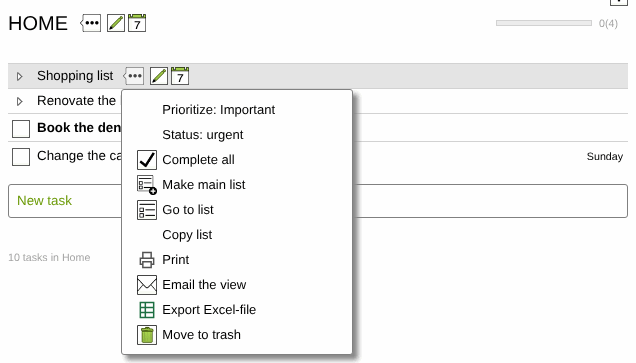
Choose Copy list in the list's quick menu , either on the list's row or next to the list's heading. The copy opens right away. Rename it with the pen next to the heading, Edit list.


Then change the copy like any other list: delete, add and change tasks. The original is untouched.
Example: the bookkeeping checklist
Keep a checklist for the month-end closing. Copy it every month, give the copy the month's name and dates, and tick it off. When you improve something, change the original, and next month's copy gets better.
Example: the packing list
No need to dig out last year's scribbled packing list. Copy the list, remove what you don't need this time and add what was missing.
There are ready-made lists to start from in Listbanken.