

Email the view
Send a list or view as an email, for example a meeting agenda, a packing list or a wish list before the party.
Have you written the meeting agenda in SaveYourDay and want to send it out before the meeting? Or send the wish list to the family before the party? Then email the view straight from SaveYourDay.
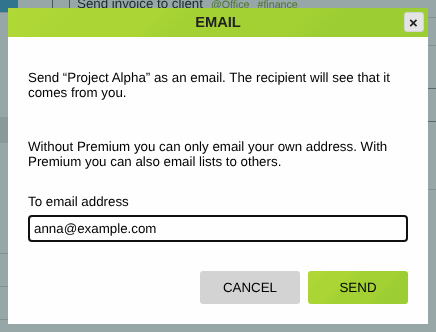
How to email
Open the quick menu by the heading and choose Email the view. In a list it is called Email the list. Type the recipient's address and click Send.

It works in every view:
- the overviews, for example Today, Scheduled and Completed (in Within 7 days you email one day at a time),
- lists, at whatever level you are,
- contexts and tags.
The recipient sees that the email comes from you. The tasks come along, but not the comments.
Who you can email
You need to have verified your email address. You do that in Account settings. Without Premium you can email the view to your own address. With Premium you can also email it to others.
Tip! Email today's list to yourself in the morning if you want it in your email during the day.