

Start and due dates
Set both start dates and due dates. A start date is a simple and powerful way to shorten your to-do list.
Most people are used to deadlines, but the start date is just as useful. And since plans change often, dates are easy to set and move.
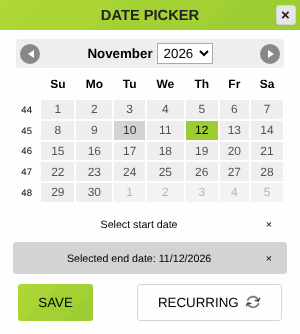
Set dates right in the list
Click the calendar on the row to open the date picker and choose a start or due date. Next to a list's heading the calendar sets dates on the whole list.

Start dates make the list shorter
A task with a start date that hasn't come yet is shown in grey. You see it, but it doesn't grab your attention, and the list feels shorter. It becomes easier to prioritise among what you can actually do now.
Start dates suit things that must be done during a period further ahead and must not be forgotten. Things to do at a certain time of day belong in the calendar. Until the start date the task needn't take up space in your head, and Scheduled shows everything that is coming.
Examples of when a start date helps:
- renewing or cancelling important contracts,
- the passport to renew before the holiday,
- signing up for music or swimming lessons next term,
- renegotiating the mortgage.
Reminded when it is time
On the start day the task is in Today, and the week before in Within 7 days. With email reminders switched on it is also in the morning email. So you won't miss it when it is really time.
Dates on a whole list
With smart list headings you set start and due dates on a whole list. If you have a routine that comes back, you can put dates on the whole checklist instead of on every task.