

Email reminders
Get a short email in the morning with what is due and what starts today. No email on days when you have nothing.
Want to see today's tasks before you have even opened SaveYourDay? Turn on the email reminder and you get a short email in the morning.
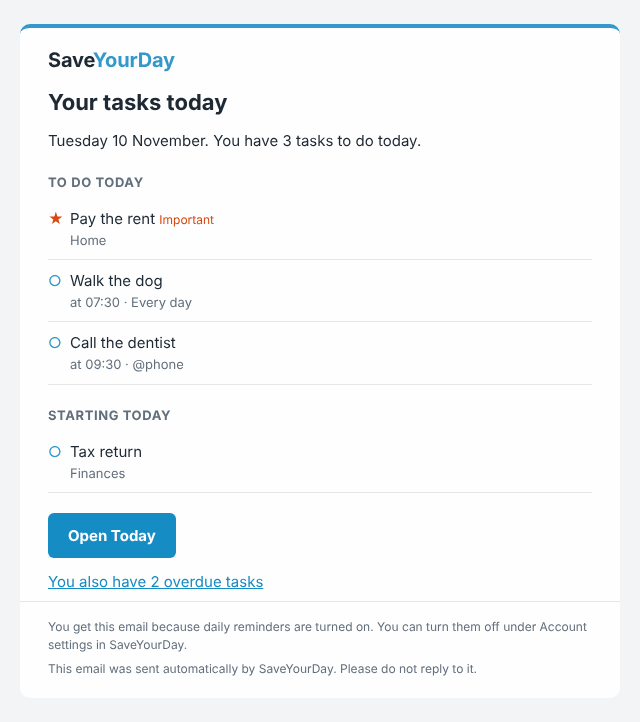
What the email holds
- To do today – tasks with a due date today.
- Starting today – tasks with a start date today.
- If you have overdue tasks, it says how many, with a link to Overdue.
If you have nothing with a date today, no email is sent. Urgent tasks are not included until they have a date. The email is meant to be short and not say the same thing day after day.
Turn it on and off
Open the account menu, choose Account settings and tick or untick Reminder emails. The email reminder is included in every account.
Tip! Only set a due date on what really has to be done on a certain day, and the email reminder becomes a list you can trust. Read more about start and due dates.