Today
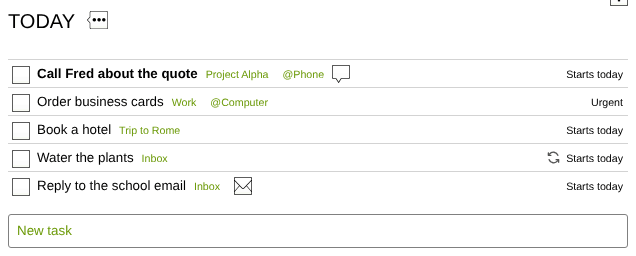
Today shows everything you are doing today, from all lists. Type today's tasks straight in and they get today's date automatically.
Short tasks for the day can be typed straight in here. Today shows tasks with today's deadline, tasks that start today and everything with the status Urgent, whatever list they are in. A task that starts today but is due another day is shown with Starts today.
- A new task automatically gets today's date as its deadline and goes to the Inbox.
- Give a task today's date by dragging it from any view to Today under Overviews in the left menu.
- Postpone for a day and Postpone for a week in the quick menu move the deadline forward.

Tip! Make a task stay on today's list: choose Status: urgent in the quick menu and remove the deadline with the date picker .

Today's list, without rewriting it
Most of what's on today's list you have already written somewhere else: in a project list, a checklist or the Inbox. Give it a deadline or start date and it shows up here on the right day, and when you complete it here it is done in its list too. You write everything once and plan the day in one place.
With email reminders switched on you also get an email in the morning with the day's tasks.