

On computer and mobile
SaveYourDay works in the browser on your computer, tablet and phone, without installing anything. Changes show up at once on every device.
SaveYourDay is a web service. All you need is a browser, and you reach your lists from your work computer, your home computer and your phone, whatever operating system and phone model you have. You do not need to install or update any app.
Synced in real time
A change on your phone shows up at once on your computer and the other way round. If you have SaveYourDay open on several devices, they all update by themselves.
On the computer
The computer is best when you write and plan. Typing tasks on a keyboard is much faster than tapping them into a phone, and the big screen gives you an overview.
- Drag and drop a task to the left menu to give it a list, context, tag or date.
- Use keyboard shortcuts to work without the mouse.
On the phone
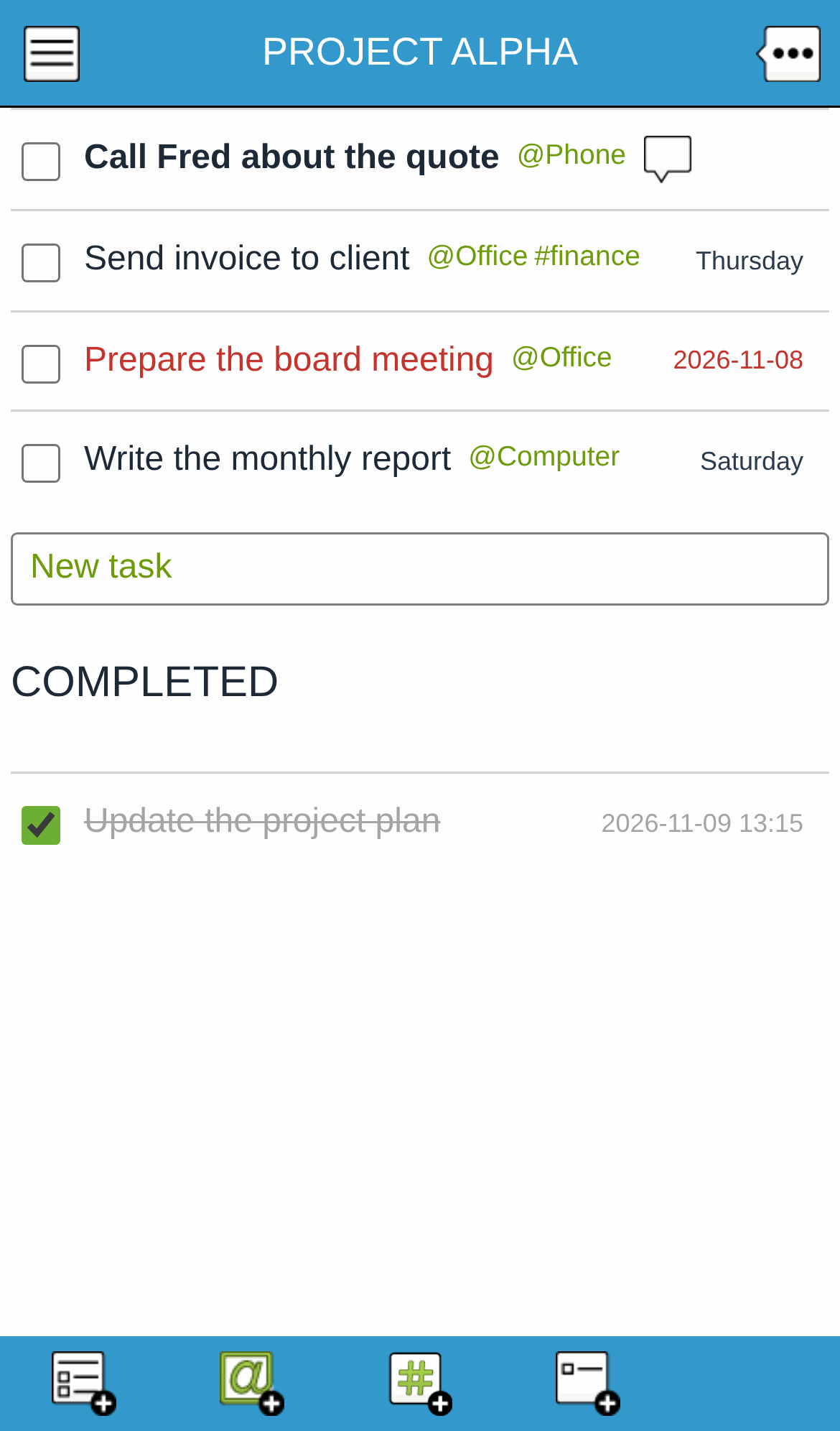
On a narrow screen SaveYourDay switches to mobile layout by itself. You open the left menu with the menu button at the top.
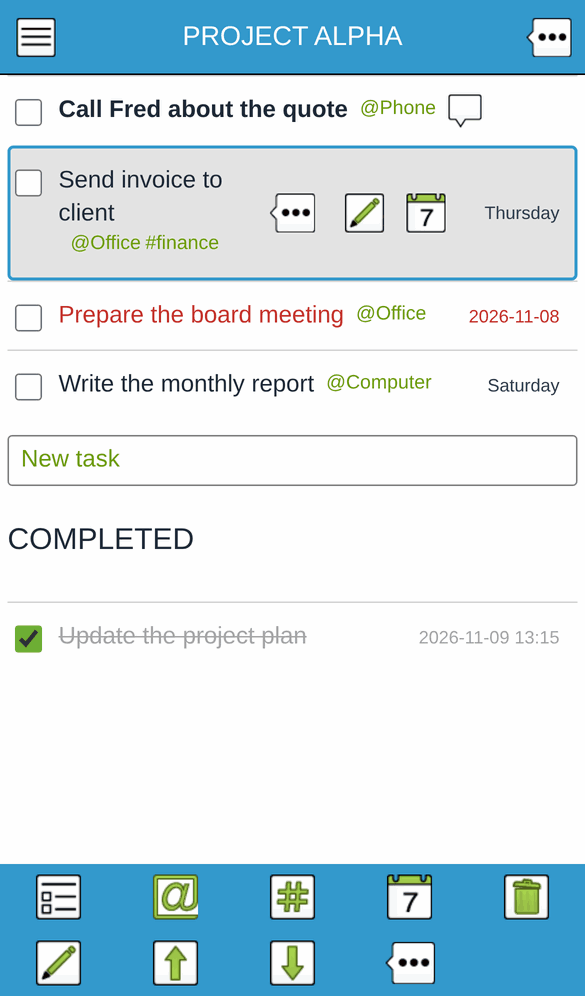
Tap a task to select it. A toolbar then appears at the bottom where you change the task, move it up and down, give it a list, context or tag and delete it. With no task selected, you create a list, context or tag from there.
Tip! Put SaveYourDay on your phone's home screen and it opens as easily as an app. How to do it is under Favourites.
Browsers
SaveYourDay works in the latest versions of Chrome, Edge, Firefox and Safari. Javascript and cookies must be turned on.
Is something not working as it should? Email us at info@saveyourday.com and feel free to include a screenshot, so it is easier for us to understand the problem.