

Move dates
Move all overdue tasks forward with one click, or postpone a task a day or a week.
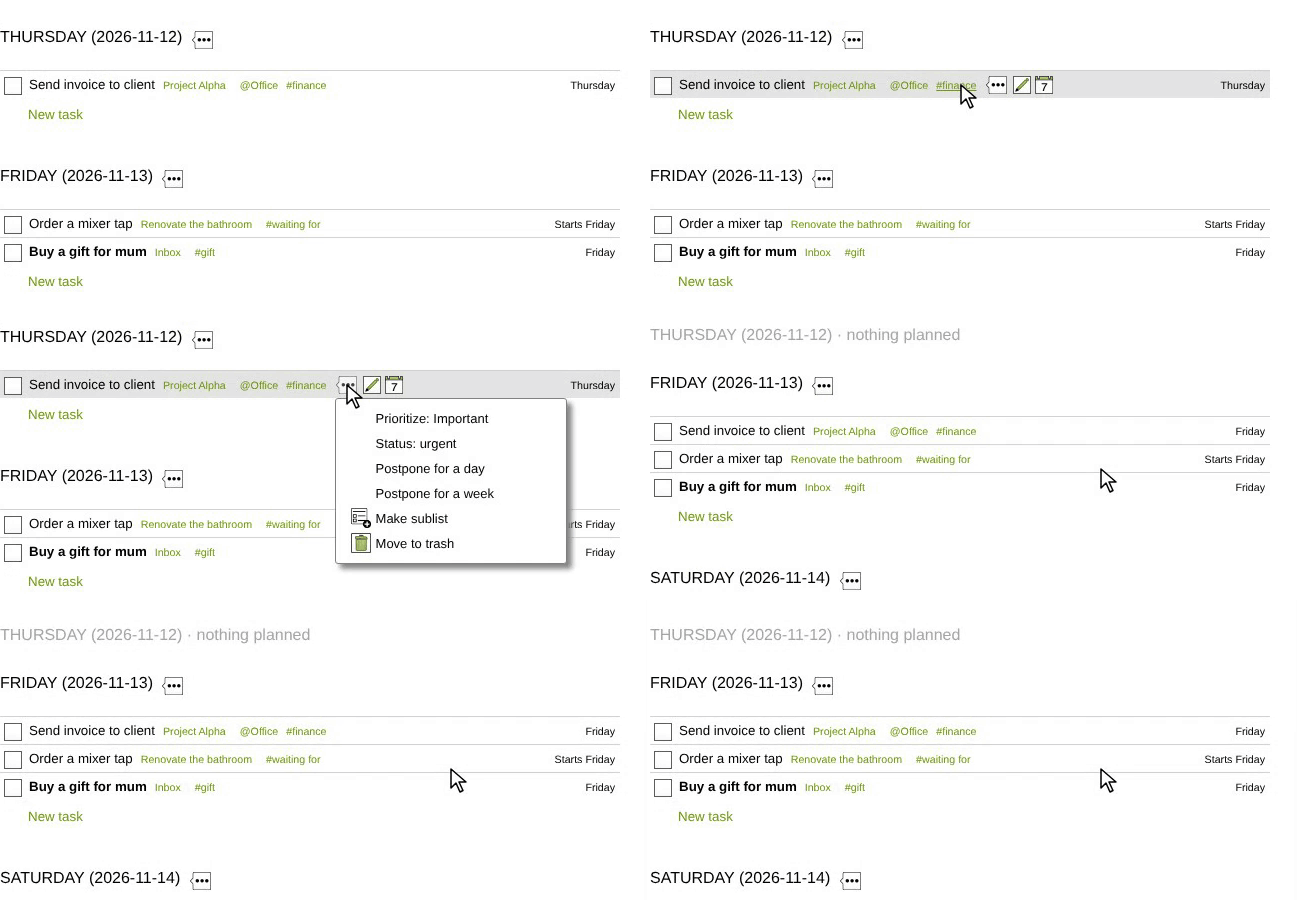
Reschedule in Within 7 days
In Within 7 days you move a task to another day by dragging it to that day's heading. The due date then changes to that day.
Move all overdue tasks at once
In Overdue, choose Move all to today in the heading's menu. All overdue tasks get today as their due date, in two clicks. Move a single task with Move to today in the row's menu.
Tip! Don't set made-up deadlines, only the ones that really apply. Then today's list is shorter and the list of overdue tasks short or empty. Several ways to prioritise build on setting a deadline only when there is one.
Postpone a day or a week
Mostly we don't think in dates but in "today", "tomorrow" and "in a week". So you can move the due date forward right in the row's menu:
- Postpone for a day and Postpone for a week in Today and Within 7 days.
- Postpone for a week in Overdue.
The due date moves from the date the task has, even if it has already passed. Read more about the row's menu under Quick menu.