Quick edit
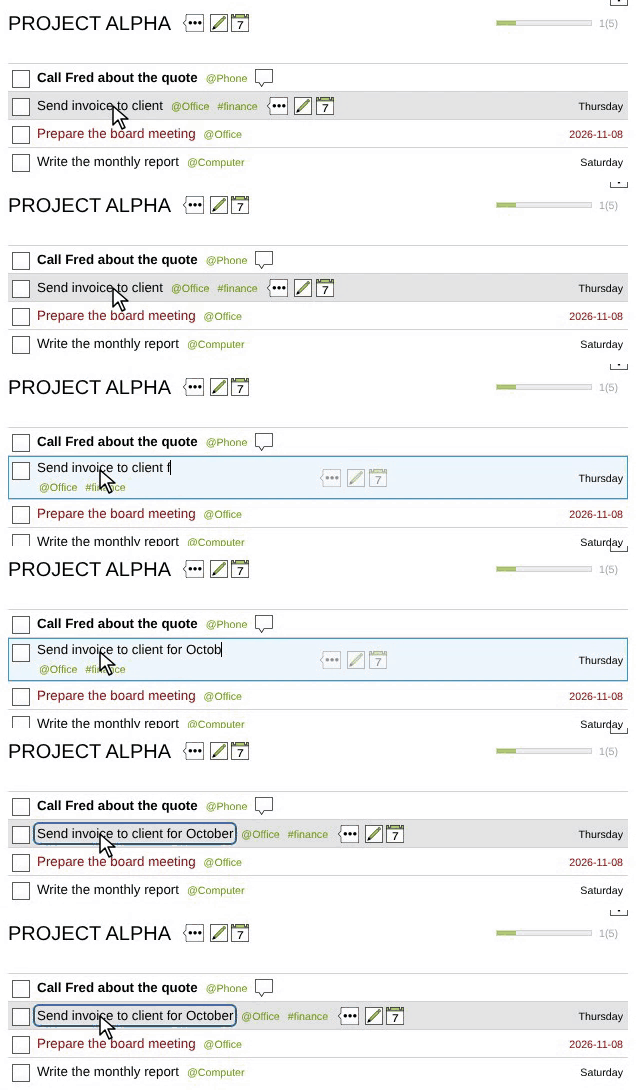
One click on the text is all it takes to change a task, on a computer and on a phone.
You don't have to open a separate view to fix a word, and you keep your focus on what you were writing.
- Click the task's name and type.
- Enter saves and Escape cancels.
- When the row is selected, press F2 to rename without the mouse.
Compare with other to-do apps. You will notice that SaveYourDay takes fewer clicks to change a text, especially on a phone.
Rename lists in Edit, with the pen next to the list's heading.

Tip! When you change the name with Quick edit, $$, @@ and ## are not read. To move the task or give it a context, use Edit or drag and drop.