Trash
Move things to the trash, restore a task or a whole list with one click, and empty the trash when you like.
The trash lets you change your mind if you deleted a list or task by mistake. That is why you don't have to answer any "are you sure?" questions when you delete something, and you can throw away a whole list at once instead of each task on its own. Nothing is really gone until you empty the trash.
Move to trash
Choose Move to trash in the row's or the heading's quick menu . On a phone, tap the row and choose the trash in the toolbar at the bottom.


Restore
Restore on the row puts the task or list back where it was. Restoring a list brings all its tasks back too. If the list it was in no longer exists, it goes to the Inbox.
Empty the trash
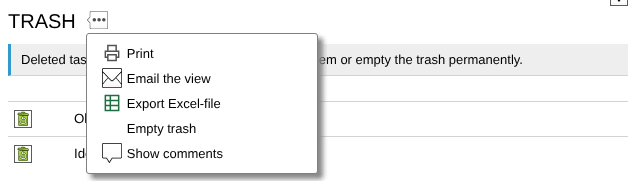
Choose Empty trash in the heading's menu. Everything in the trash is then deleted for good; it cannot be undone.
No more "are you sure?"
Many programs ask "Are you sure?" every time you delete something. In SaveYourDay you delete straight away, because it can be undone. That lets you clear things out quickly, and a whole list with all its sublists goes into the trash at once.