

Completed
Completed shows everything you have done, most recent first. A good basis for your weekly report, and proof that you do get things done.
Completed shows all completed lists and tasks from all lists, most recently completed first. If you feel you get nothing done, look here. It is also a good place to consider whether you had the right priorities or need to change direction.
- Click the box again to reopen a task. If it is in a completed list, the list is reopened too.
- Load more at the bottom fetches older completed tasks.
- Completed tasks stay until you move them to the trash.
Tip! Choose Email the view in the heading's menu and send the list to yourself: a good basis for your weekly report.
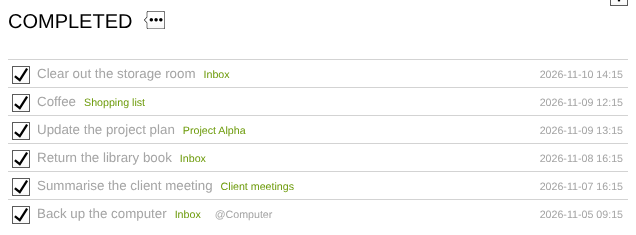
See what you have done
A to-do list only shows what is left, and it can feel like you never finish. Completed shows the opposite: everything you actually got done. To see only what is completed in one list, context or tag, look at the bottom of that view; read more under Log.