Important
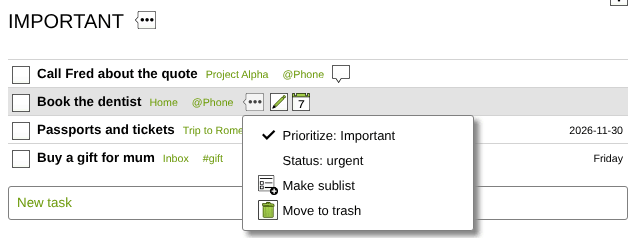
Important collects every task you have marked as important, from all lists. Important tasks are shown in bold everywhere.
Important shows every open task with high priority, from all lists. Together with Today, Within 7 days and Scheduled it shows what is important and urgent, and what is important but can wait. Set deadlines where they matter.
- A new task here is important at once.
- Drag a task to Important under Overviews in the left menu to make it important.
- Choose Prioritize: Important in the quick menu , or open the task with Edit, tick Important and save.
- On a phone, tap the row, choose Edit in the toolbar and tick Important.

- Completed tasks leave the view.
Tip! Important tasks are shown in bold in every view. Mark the tasks you want to do next as important and they stand out at once.
Important and urgent are not the same
What is urgent easily takes over the day, while what is important but not urgent gets put off. Important shows the important things in one place, and Today and Within 7 days show what is urgent. What appears in both, you do first. What is only important, you plan in before it becomes urgent.