

Recurring
Let tasks and lists come back every week, every month or a few days after you finished them.
Many things come back at regular intervals, at home and at work. Good routines keep the work flowing, and with recurring tasks you don't have to type them again.
You choose freely how the task comes back: every day, certain weekdays, a certain day of the month, a certain weekday in the month (for example the last Friday) or every year. You can also let it come back a number of days after you finished it, and decide whether the rule applies until further notice, a number of times or until a certain date.
Recurrence works for both tasks and lists. Let your morning routine list show up Monday to Friday, your weekly planning seven days after you last did it, and your invoicing list on the first of every month.
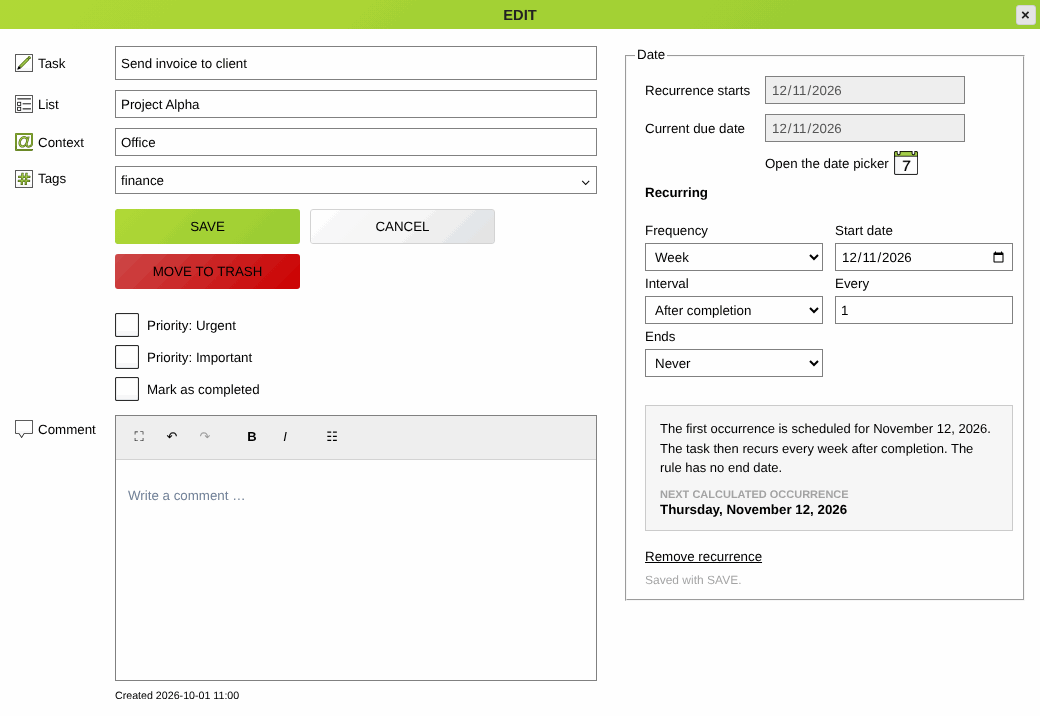
How to
Open the date picker with the calendar on the row and choose Recurring, or open Edit. Choose how often and save.

How it works
- When the rule is saved, the task gets its due date on the first occurrence. While the rule applies it controls the dates, so they can't be changed by hand.
- When you complete the task, a new row is created with the next date, right after the one you completed. The completed one stays under Completed.
- A recurring list is copied with its tasks, as they were before you completed the list.
Tip! Collect your recurring lists in a list called Routines. Then you have them in one place, and they show up in Today when it is time.