

Search
Search for tasks and lists in your whole account, comments and completed tasks included.
The free text search looks in names and in the text of comments, completed tasks included. Main lists and what is in the trash are not included, and neither are the names of contexts and tags.
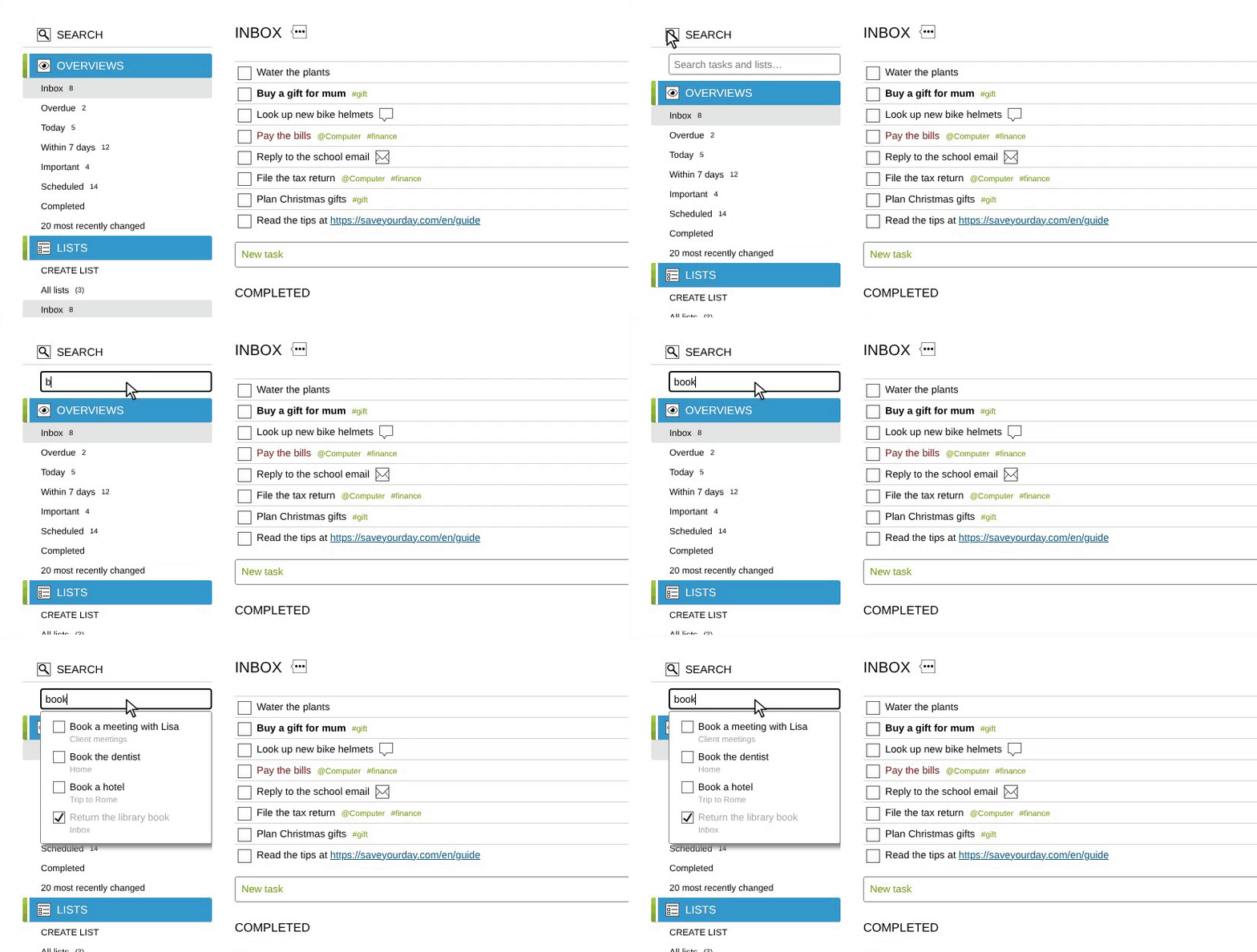
Click Search at the top of the left menu and type.

- The search also finds parts of words: "quot" finds "quote".
- If you type several words, it finds rows that contain all of them, in any order, in the name or the comment. You can search for up to 10 words.
- Upper and lower case and accents make no difference.
- Rows with all the words in the name come first, those closest to the phrase you typed at the top. Then come the matches in comments.
- Clicking a match opens the list with the task selected.
Make it searchable from the start
It is much easier to find something in SaveYourDay than in old notes or in various Word and Excel files. That goes for everything from a good idea to the colour code of the living room wall.
Tip! Think about search words as you write. Put words you will search for in the task or its comment, and you will find it whatever list it ends up in.